Our Community is getting an upgrade! To get everything ready for the relaunch, we’ll be placing the site in read-only mode starting September 21st.
We really appreciate your understanding while we get things set up behind the scenes. Catch up on all the exciting details about the move here.
Need help or have questions? Drop us a line at [email protected]

Support Questions

Find answers, ask questions, and share your expertise
Announcements
Share your experience with Cloudera on G2 and get a $25 Amazon Gift card.
Hi, I'm CLEO! Something exciting is coming to the Community. Stay Tuned!

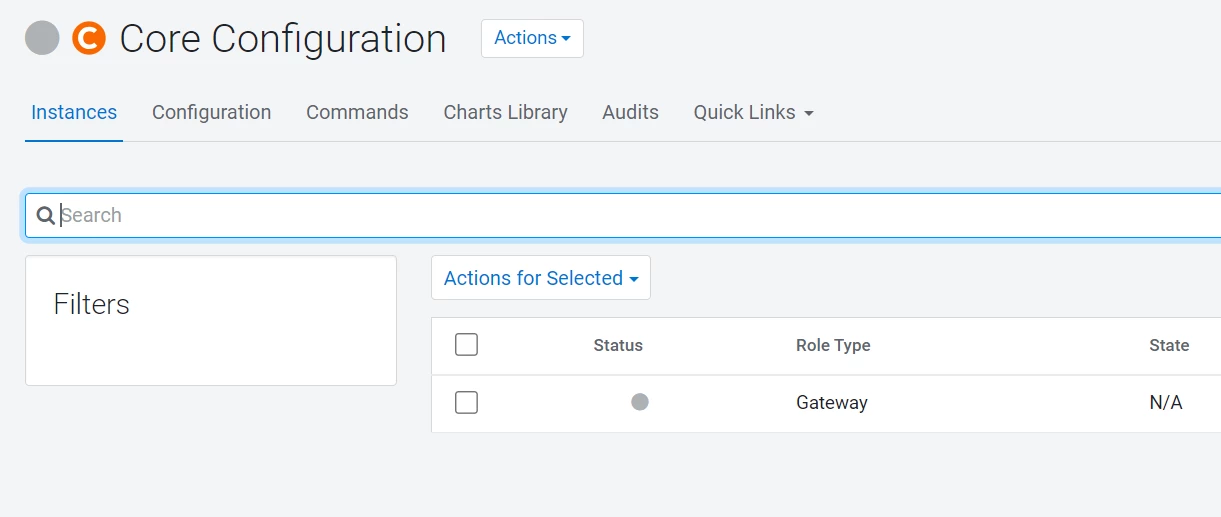
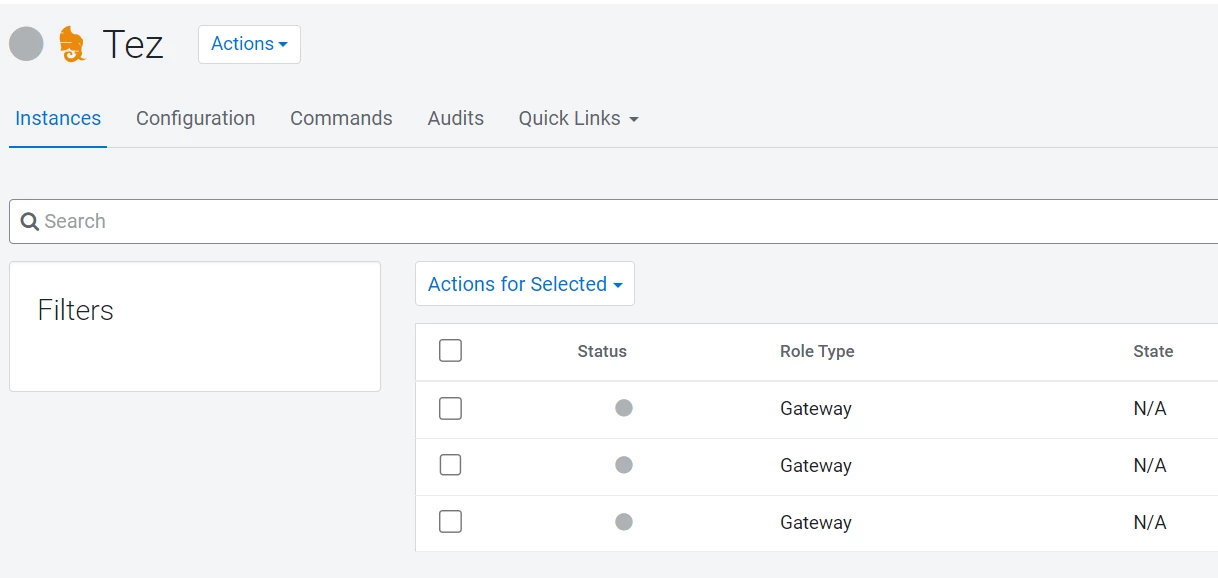
Core configuration service and tez is not working
avatar
Explorer


Jiji_0-1731560272281.pngJiji_1-1731560309994.png

Hi All,

   We have the core configuration and tez not started after cluster restart .Kindly guide us how to troubleshoot and fix it 

1 ACCEPTED SOLUTION

avatar
Master Collaborator
  • Cloudera Manager offers configurations and tools to optimize the usage of Tez as an execution engine for big data workloads, particularly when using Hive.
  • The Tez CM-UI in Cloudera Manager allows for fine-tuning of Tez configurations to meet specific workload requirements, including adjusting Tez container sizes, memory settings, and parallelism levels.
  • These Tez configurations can be applied cluster-wide, specifically for Hive.
  • Please verify that the HIVE and Hive_ON_TEZ services are active and functioning properly.
  • Similarly, the Core configuration applies to the entire cluster and provides an interface to change configurations cluster-wide.
  • Ensure that all services are running smoothly. If any particular service appears as red, investigate the individual service logs for further troubleshooting.

View solution in original post

1 REPLY 1

avatar
Master Collaborator
  • Cloudera Manager offers configurations and tools to optimize the usage of Tez as an execution engine for big data workloads, particularly when using Hive.
  • The Tez CM-UI in Cloudera Manager allows for fine-tuning of Tez configurations to meet specific workload requirements, including adjusting Tez container sizes, memory settings, and parallelism levels.
  • These Tez configurations can be applied cluster-wide, specifically for Hive.
  • Please verify that the HIVE and Hive_ON_TEZ services are active and functioning properly.
  • Similarly, the Core configuration applies to the entire cluster and provides an interface to change configurations cluster-wide.
  • Ensure that all services are running smoothly. If any particular service appears as red, investigate the individual service logs for further troubleshooting.