
Our Community is getting an upgrade! To get everything ready for the relaunch, we’ll be placing the site in read-only mode starting September 21st.
We really appreciate your understanding while we get things set up behind the scenes. Catch up on all the exciting details about the move here.
Need help or have questions? Drop us a line at [email protected]

Support Questions
 Hi, I'm CLEO! Something exciting is coming to the Community. Stay Tuned!
- Cloudera Community
- Support
- Support Questions
- Re: Execute Stream Command - NIFI
- Subscribe to RSS Feed
- Mark Question as New
- Mark Question as Read
- Float this Question for Current User
- Bookmark
- Subscribe
- Mute
- Printer Friendly Page
- Subscribe to RSS Feed
- Mark Question as New
- Mark Question as Read
- Float this Question for Current User
- Bookmark
- Subscribe
- Mute
- Printer Friendly Page
Execute Stream Command - NIFI
- Labels:
-
Apache NiFi


Created 09-10-2019 11:39 AM
- Mark as New
- Bookmark
- Subscribe
- Mute
- Subscribe to RSS Feed
- Permalink
- Report Inappropriate Content
Zip command is not working in Execute Stream Command but working in Execute Command. Please let me know what is wrong with the below.
Command Arguments
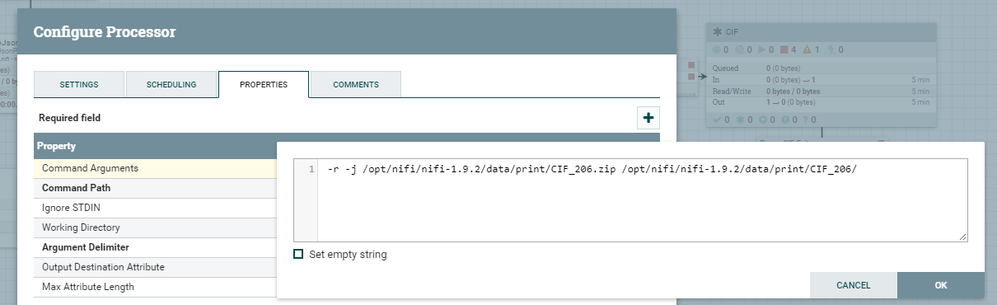
-r -j /opt/nifi/nifi-1.9.2/data/print/CIF_206.zip /opt/nifi/nifi-1.9.2/data/print/CIF_206/
Command Path
zip
Ingore STDIN
true



Created 09-23-2019 06:03 AM
- Mark as New
- Bookmark
- Subscribe
- Mute
- Subscribe to RSS Feed
- Permalink
- Report Inappropriate Content
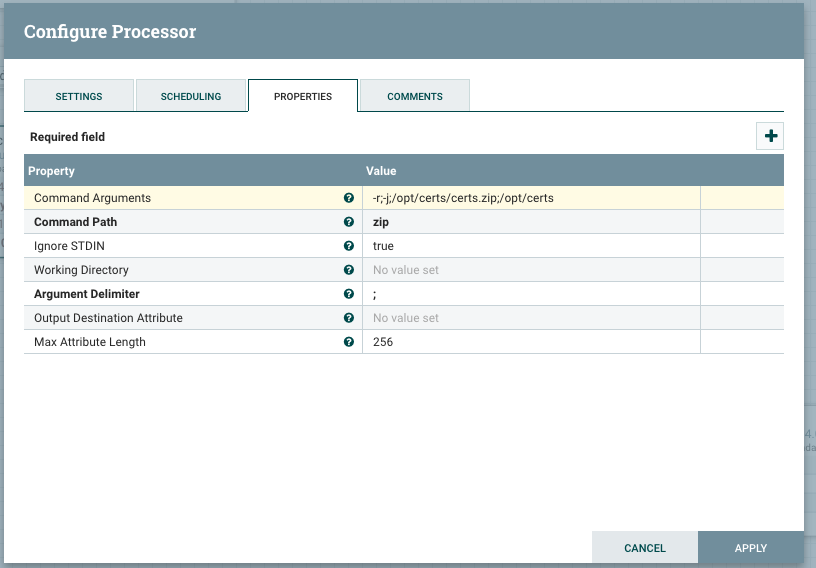
If you cannot get the blank space in, then just go back to the default of ; and add it between the parameters in the Command Arguments property.
Created 09-18-2019 11:58 AM
- Mark as New
- Bookmark
- Subscribe
- Mute
- Subscribe to RSS Feed
- Permalink
- Report Inappropriate Content
What value is in the Argument Delimiter property ?
Created 09-18-2019 01:22 PM
- Mark as New
- Bookmark
- Subscribe
- Mute
- Subscribe to RSS Feed
- Permalink
- Report Inappropriate Content
Created 09-19-2019 05:18 AM
- Mark as New
- Bookmark
- Subscribe
- Mute
- Subscribe to RSS Feed
- Permalink
- Report Inappropriate Content
Remove the semi-colon replace with a blank space and it should work for you.
Created 09-19-2019 04:15 PM
- Mark as New
- Bookmark
- Subscribe
- Mute
- Subscribe to RSS Feed
- Permalink
- Report Inappropriate Content
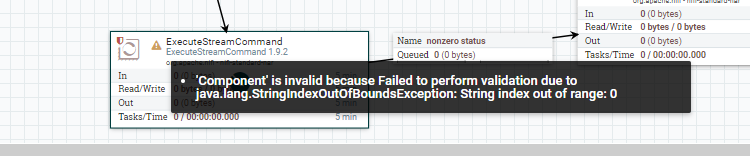
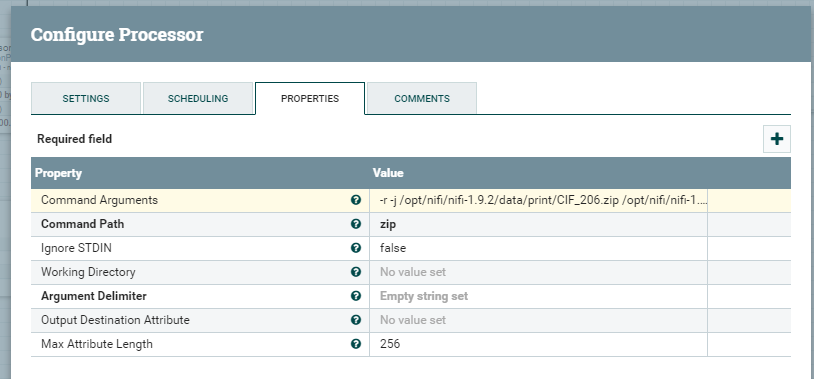
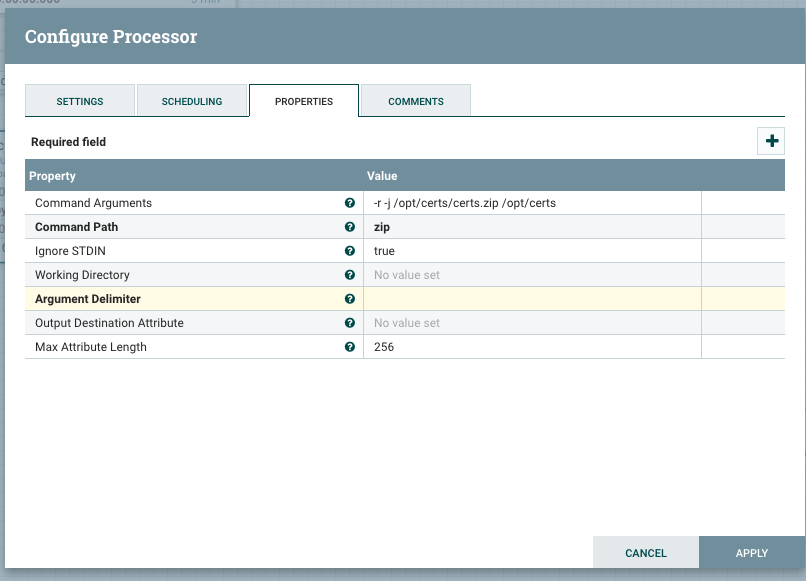
It is giving an error as shown below, i have also uploaded screenshots of configuration for reference.
Created 09-20-2019 06:43 AM
- Mark as New
- Bookmark
- Subscribe
- Mute
- Subscribe to RSS Feed
- Permalink
- Report Inappropriate Content
Do not make the Argument Delimiter property an empty string, make it literally a blank space, " ".
Just don't put the quotes, okay?
Created 09-20-2019 01:37 PM
- Mark as New
- Bookmark
- Subscribe
- Mute
- Subscribe to RSS Feed
- Permalink
- Report Inappropriate Content
If I make it blank and save, then it is defaulting to; maybe it is expecting a default value?
Created 09-23-2019 05:54 AM
- Mark as New
- Bookmark
- Subscribe
- Mute
- Subscribe to RSS Feed
- Permalink
- Report Inappropriate Content
Created 09-23-2019 06:03 AM
- Mark as New
- Bookmark
- Subscribe
- Mute
- Subscribe to RSS Feed
- Permalink
- Report Inappropriate Content
If you cannot get the blank space in, then just go back to the default of ; and add it between the parameters in the Command Arguments property.


