Our Community is getting an upgrade! To get everything ready for the relaunch, we’ll be placing the site in read-only mode starting September 21st.
We really appreciate your understanding while we get things set up behind the scenes. Catch up on all the exciting details about the move here.
Need help or have questions? Drop us a line at [email protected]

Support Questions

Find answers, ask questions, and share your expertise
Announcements
Share your experience with Cloudera on G2 and get a $25 Amazon Gift card.
Hi, I'm CLEO! Something exciting is coming to the Community. Stay Tuned!

Extract whole json flowfilecontent(small) to single attribute

avatar
Contributor

Hi All, 


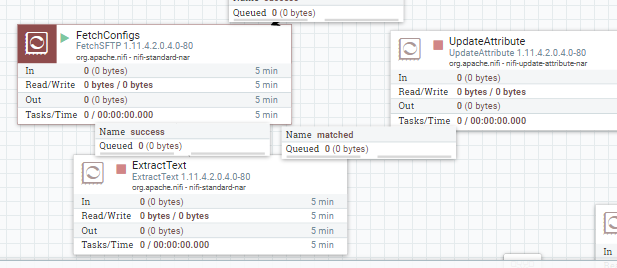
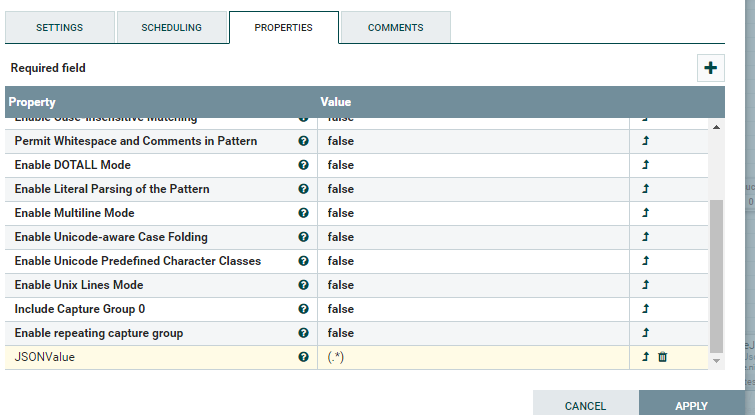
I have nifi flow fthat fetches one json file and using the extractText processor, i want to store entire flowfile content(assume small json file) into one flowfile attribute. But (.*) is not extracting whole json and instead extracting only { . Please help with Java regular expression to extract full json afnd also share if any Java regular expression documentation which i can refer for Nifi extracttext processor.


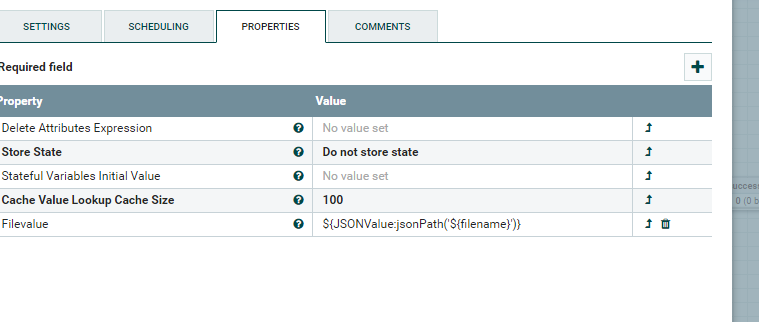
Nififlows.PNGExtractText.PNGupdateattribute.PNG


I having json file which contains format like 

{

"filename1":"insert into filename1",

"filename2":"insert into filename2",

"filename3":"insert into filename3"

}


I will retrieve the filenames in generic way/dynamic using JsonPath(${filename})  in updateattribute .


Please assist to extract whole json content into one flow file attribute .


Thanks


@Nifi@NifiDev

1 ACCEPTED SOLUTION

avatar
Expert Contributor

Hello,


you could use following regex

[^^]+

with that you should get the whole content.


Please take a look at the property "Maximum Capture Group Length" at the ExtractText Processor, that its not too short. 

View solution in original post

2 REPLIES 2

avatar
Expert Contributor

Hello,


you could use following regex

[^^]+

with that you should get the whole content.


Please take a look at the property "Maximum Capture Group Length" at the ExtractText Processor, that its not too short. 

avatar
Contributor

Hi 

 Thanks for helping . I am able to get entire content into attribute .

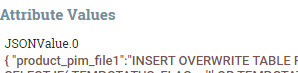
I have one doubt that i have attribute name called "JSONValue" so that extracted value should be in this name but the flowfile content saves into the attribute  "JSONValue.0 "  as supposed to create value in JSONValue attribute . Please see screen-print for the same . I had to enable "Include Capture Group 0" as True otherwise the Regex not accepting and expecting value 0 to40 other than false.


 JSONAttribute.PNG