Our Community is getting an upgrade! To get everything ready for the relaunch, we’ll be placing the site in read-only mode starting September 21st.
We really appreciate your understanding while we get things set up behind the scenes. Catch up on all the exciting details about the move here.
Need help or have questions? Drop us a line at [email protected]

Support Questions

Find answers, ask questions, and share your expertise
Announcements
Share your experience with Cloudera on G2 and get a $25 Amazon Gift card.
Hi, I'm CLEO! Something exciting is coming to the Community. Stay Tuned!

NiFi to Hive connection on Docker

avatar
New Contributor

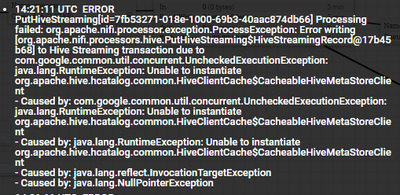
Hi, I'm trying to query a Hive database on NiFi, but I get the following error, both Hive and NiFi are hosted on the same Docker container.

ehehtenandayo_1-1711549293409.png

I downloaded and put 'nifi-hive-nar-1.25.0.nar' and 'nifi-hive-services-api-nar-1.25.0.nar' files in the lib folder to add the processor as It was not built in for my installation.

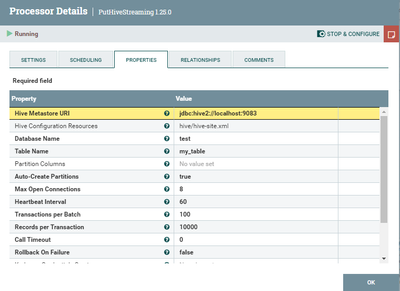
I'm trying the following configuration :

ehehtenandayo_2-1711549521162.png

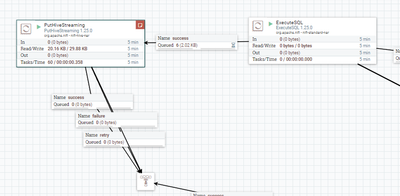
This is the part of the schema where I'm encountering this issue:

ehehtenandayo_3-1711549575893.png

Maybe the issue is with the connection URI ? Regardless any help to steer me to the solution would be nice, thanks.

1 REPLY 1

avatar

@ehehtenandayo your Hive Metastore URI should look like "thirft://<Hive Metastore host>:9083."   Note that hive meta store host is not the same as the hive server host.


You can usually locate the correct thrift string in the hive-site.xml as such:

<property>
<name>hive.metastore.uris</name>
<value>thrift://host1.cloudera.site:9083,thrift://host2.cloudera.site:9083</value>
</property>