Our Community is getting an upgrade! To get everything ready for the relaunch, we’ll be placing the site in read-only mode starting September 21st.
We really appreciate your understanding while we get things set up behind the scenes. Catch up on all the exciting details about the move here.
Need help or have questions? Drop us a line at [email protected]

Support Questions

Find answers, ask questions, and share your expertise
Announcements
Share your experience with Cloudera on G2 and get a $25 Amazon Gift card.
Hi, I'm CLEO! Something exciting is coming to the Community. Stay Tuned!

What is wrong in reading Nifi flowfile and creating python(pandas)dataframe?

avatar
Rising Star

I have scenario where I am getting the file(stream:flowfile of NIFI) as of type csv file, then creating the dataframe and dumping it thats it. But after creating the dataframe the structure of the file got disturbed, if I open the same flowfile on my disk i could see clear structure with columns separated with tab, but with python dataframe I am not getting the same structure, if I get same structure i can perform row manipulation.


Here What I am doing:
1: using ExecuteSQL processor, I am getting database record,

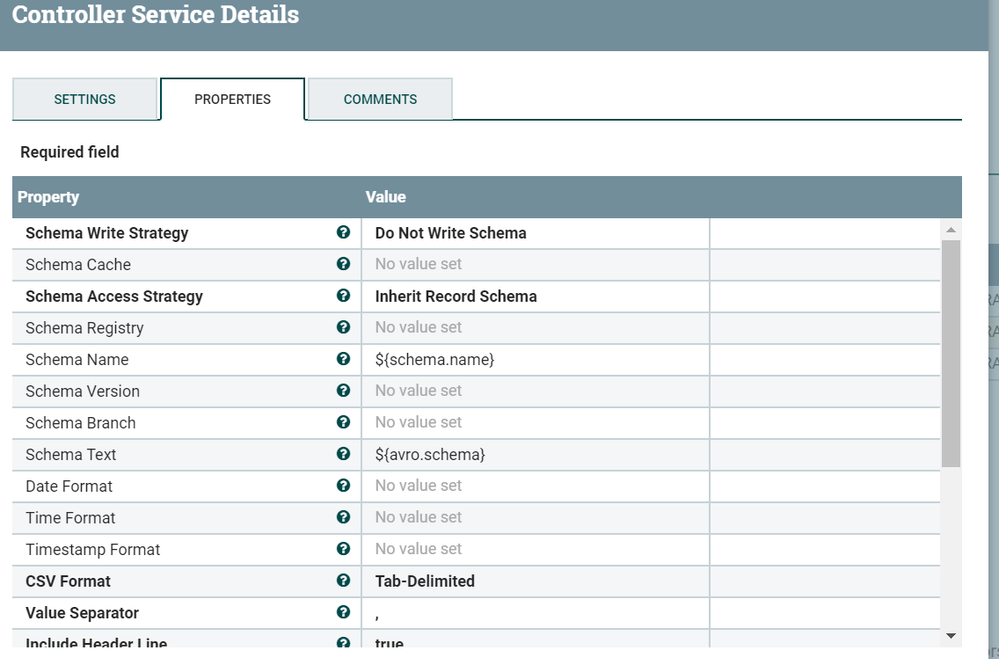
2: then passing this record to ConvertRecord processor  to convert this avro record type csv file separated by tab.
convertRecordSetWriter settings...
Capture.PNG

The output of the flowfile is ...

Capture.PNG


3: Then the reading flowfile(step 2 folowfile) as python data using ExecuteStreamCommand, coz I am want to perform some action on the database record, to do this my record structure has been changed in data frame.
Capture.PNG


1 ACCEPTED SOLUTION

avatar
Rising Star

it did work after adding '\t' to read_csv as 2nd arg.

View solution in original post

1 REPLY 1

avatar
Rising Star

it did work after adding '\t' to read_csv as 2nd arg.