@Justee
You definitely can't use "/Home/Data/" in the "Remote File" property of the FetchSFTP processor. This must be a the full path to a specific file being fetched, which means it should be getting that path and filename values from the inbound FlowFile's attributes.
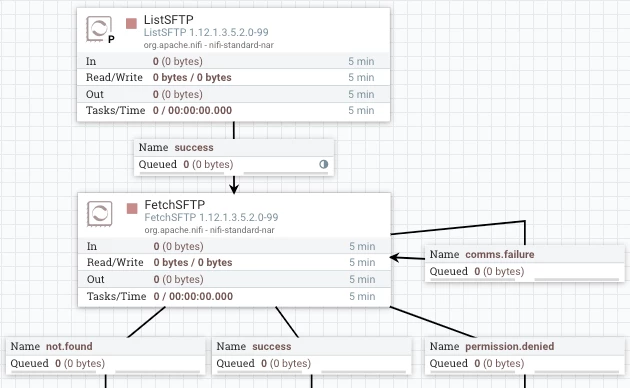
Your ListSFTP (which you said is working) would be producing a FlowFile for each File found at target directory non your SFTP server. Those FlowFiles will get queued on the outbound connection containing the ListSFTP's "success" relationship.
That connection is the inbound connection to the FetchSFTP processor that will connect to same SFTP server and retrieve the content for each of those FlowFiles that were produced by the ListSFTP processor.
The "Remote File" property on the FetchSFTP processor should be using NiFi Expression Language (EL) to dynamically set the path and filename being fetched uniquely for each inbound FlowFile.
${path}/${filename}
NiFi is case sensitive, so make sure you are using all lowercase so it matches the attribute names created on the Source FlowFiles by the ListSFTP processor.
When you say the FetchSFTP processor is "not working", what does that mean?
To which relationship are the inbound FlowFiles getting routed when it does not work?
What exception (ERROR) is logged in the nifi-app.log when it fails to fetch the content for an inbound FlowFile?
Make sure when you configured the username and password on the FetchSFTP you did not accidentally add a leading or trailing whitespace.
Hope this helps,
Matt




