
Our Community is getting an upgrade! To get everything ready for the relaunch, we’ll be placing the site in read-only mode starting September 21st.
We really appreciate your understanding while we get things set up behind the scenes. Catch up on all the exciting details about the move here.
Need help or have questions? Drop us a line at [email protected]

Archives of Support Questions (Read Only)
- Cloudera Community
- Board Archive
- Archives of Support Questions (Read Only)
- Who agreed with this solution
Who agreed with this solution


Created on 01-25-2017 04:54 PM - edited 08-18-2019 06:24 AM
- Mark as New
- Bookmark
- Subscribe
- Mute
- Subscribe to RSS Feed
- Permalink
- Report Inappropriate Content
NiFi is designed to accept many triggers words sec, second, secs, seconds, min, minutes, mins, hr, hrs , day, days, etc....
The max it will accept as of NiFi 1.x is week or weeks (or wk or wks).
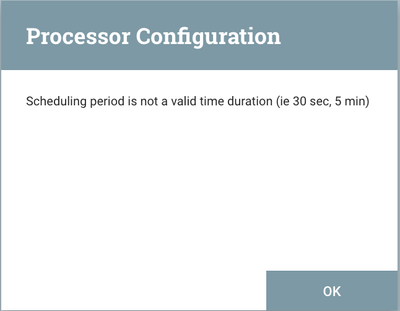
If you enter an invalid trigger word, the processor will let you know it is invalid. Such as trying to use month or year will produce the below:
Keep in mind that by using the "timer driven" scheduling strategy you are not setting a specific execution time. You are setting an execution interval where the first interval is scheduled upon start of the processor. The second execution will occur x amount of configured "run schedule" later. If you stop and then start the processor again, the interval starts over.
The "CRON Driven" scheduling strategy allow you to configure an exact time(s) for execution.
Thanks,
Matt

