
Our Community is getting an upgrade! To get everything ready for the relaunch, we’ll be placing the site in read-only mode starting September 21st.
We really appreciate your understanding while we get things set up behind the scenes. Catch up on all the exciting details about the move here.
Need help or have questions? Drop us a line at [email protected]

Archives of Support Questions (Read Only)
- Cloudera Community
- Board Archive
- Archives of Support Questions (Read Only)
- Re: Can we flatten complex JSON file using NIFI.?
- Subscribe to RSS Feed
- Mark Question as New
- Mark Question as Read
- Float this Question for Current User
- Bookmark
- Subscribe
- Mute
- Printer Friendly Page
- Subscribe to RSS Feed
- Mark Question as New
- Mark Question as Read
- Float this Question for Current User
- Bookmark
- Subscribe
- Mute
- Printer Friendly Page
Can we flatten complex JSON file using NIFI.?
- Labels:
-
Apache NiFi


Created 08-31-2016 08:53 PM
- Mark as New
- Bookmark
- Subscribe
- Mute
- Subscribe to RSS Feed
- Permalink
- Report Inappropriate Content
Hi ,Can we flatten complex JSON files (with lists,arrays etc)with NIFI.?


Created 08-31-2016 09:03 PM
- Mark as New
- Bookmark
- Subscribe
- Mute
- Subscribe to RSS Feed
- Permalink
- Report Inappropriate Content
@Saikrishna Tarapareddy, Apache NiFi 1.0 includes the JoltTransformJSON processor, which embeds the Jolt JSON-to-JSON transformation library. JoltTransformJSON can indeed be used to flatten JSON.
You can see an example of using the processor here: https://community.hortonworks.com/articles/44726/json-to-json-simplified-with-apache-nifi-and-jolt.h...
And there's an example of a Jolt spec to flatten JSON here: http://jolt-demo.appspot.com/#bucketToPrefixSoup
HDF 2.0, forthcoming, includes Apache NiFi 1.0, so going forward this will likely be the right way to do it. As an alternative, you could use a scripted processor to do something similar. See: http://funnifi.blogspot.com/2016/02/executescript-json-to-json-conversion.html
Created 08-31-2016 09:03 PM
- Mark as New
- Bookmark
- Subscribe
- Mute
- Subscribe to RSS Feed
- Permalink
- Report Inappropriate Content
@Saikrishna Tarapareddy, Apache NiFi 1.0 includes the JoltTransformJSON processor, which embeds the Jolt JSON-to-JSON transformation library. JoltTransformJSON can indeed be used to flatten JSON.
You can see an example of using the processor here: https://community.hortonworks.com/articles/44726/json-to-json-simplified-with-apache-nifi-and-jolt.h...
And there's an example of a Jolt spec to flatten JSON here: http://jolt-demo.appspot.com/#bucketToPrefixSoup
HDF 2.0, forthcoming, includes Apache NiFi 1.0, so going forward this will likely be the right way to do it. As an alternative, you could use a scripted processor to do something similar. See: http://funnifi.blogspot.com/2016/02/executescript-json-to-json-conversion.html
Created on 09-01-2016 02:14 PM - edited 08-19-2019 02:36 AM
- Mark as New
- Bookmark
- Subscribe
- Mute
- Subscribe to RSS Feed
- Permalink
- Report Inappropriate Content
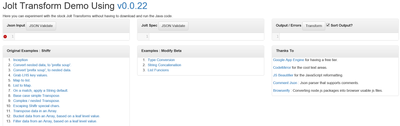
when I tried to look at these examples , its not showing any JSON or specs. All I get is empty screen like this..
when I tried this link below
http://jolt-demo.appspot.com/#bucketToPrefixSoup
Created 09-01-2016 06:21 PM
- Mark as New
- Bookmark
- Subscribe
- Mute
- Subscribe to RSS Feed
- Permalink
- Report Inappropriate Content
Not really sure why it's not loading the examples for you but the JSON input that page should have loaded is:
{
  "Rating": 1,
  "SecondaryRatings": {
    "Design": 4,
    "Price": 2,
    "RatingDimension3": 1
  }
}
And the Jolt spec is:
[
  {
    "operation": "shift",
    "spec": {
      "Rating": "rating-primary",
      //
      // Turn all the SecondaryRatings into prefixed data
      // like "rating-Design" : 4
      "SecondaryRatings": {
        // the "&" in "rating-&" means go up the tree 0 levels,
        // grab what is ther and subtitute it in
        "*": "rating-&"
      }
    }
  }
]


Created 09-01-2016 06:23 PM
- Mark as New
- Bookmark
- Subscribe
- Mute
- Subscribe to RSS Feed
- Permalink
- Report Inappropriate Content
If you click on any of the examples,it should fill in the Input and Spec boxes.
Created 09-01-2016 09:40 PM
- Mark as New
- Bookmark
- Subscribe
- Mute
- Subscribe to RSS Feed
- Permalink
- Report Inappropriate Content
i tried to do that , but it is not filling in the Input or Specs.
Created 09-01-2016 09:50 PM
- Mark as New
- Bookmark
- Subscribe
- Mute
- Subscribe to RSS Feed
- Permalink
- Report Inappropriate Content
Here's the example for "prefix soup" (a kind of flattening):
Input:
{
"Rating": 1,
"SecondaryRatings": {
"Design": 4,
"Price": 2,
"RatingDimension3": 1
}
}
Spec:
[
  {
    "operation": "shift",
    "spec": {
      "Rating": "rating-primary",
      //
      // Turn all the SecondaryRatings into prefixed data
      // like "rating-Design" : 4
      "SecondaryRatings": {
        // the "&" in "rating-&" means go up the tree 0 levels,
        // grab what is ther and subtitute it in
        "*": "rating-&"
      }
    }
  }
]
Created 09-02-2016 08:16 PM
- Mark as New
- Bookmark
- Subscribe
- Mute
- Subscribe to RSS Feed
- Permalink
- Report Inappropriate Content
Where can i find help for JOLT JSON transformations..i am trying to flatten this example json with multi levels.
{
"glossary": {
"title": "example glossary",
"GlossDiv": {
"title": "S",
"GlossList": {
"GlossEntry": {
"ID": "SGML",
"SortAs": "SGML",
"GlossTerm": "Standard Generalized Markup Language",
"Acronym": "SGML",
"Abbrev": "ISO 8879:1986",
"GlossDef": {
"para": "A meta-markup language, used to create markup languages such as DocBook.", "GlossSeeAlso": ["GML", "XML"]
},
"GlossSee": "markup"
}
}
}
}
}
Created 09-06-2016 04:35 PM
- Mark as New
- Bookmark
- Subscribe
- Mute
- Subscribe to RSS Feed
- Permalink
- Report Inappropriate Content
I wrote this Shift transformation in NiFi JOLT , which is flattening above JSON..just wanted to make sure of this would be the correct approach..?? Only thing is if we come across a new Tag in input then we will have to write transformations to it.
{ "glossary": { "title": "Glossary Title", "GlossDiv": { "title*": "GlossDivTitles", "GlossList": { "GlossEntry": { "ID": "GlossEntryID", "SortAs": "GlossEntrySortAs", "GlossTerm": "GlossEntryGT", "Acronym": "GlossEntryAcronym", "Abbrev": "GlossEntryAbbr", "GlossDef": { "*" : "GlossDef&" }, "GlossSee": "GlossEntryGSee" } } } } }

Created 09-09-2016 01:06 PM
- Mark as New
- Bookmark
- Subscribe
- Mute
- Subscribe to RSS Feed
- Permalink
- Report Inappropriate Content


