Community Articles

Find and share helpful community-sourced technical articles.
Announcements
Now Live: Explore expert insights and technical deep dives on the new Cloudera Community BlogsRead the Announcement
Labels (1)
avatar

Ambari 2.7 provides UI for API to learn and perform many of the operations. You can launch the UI and play - http://AMBARI-UI:8080/api-docs/

For example: You can delete the Host by simply entering the hostname in the UI.

1. Go to http://AMBARI-HOST:8080/api-docs/#!/Hosts/deleteHost

2. Move to "Delete a host" section

3. Enter the "hostname"

4. click on "Try" .

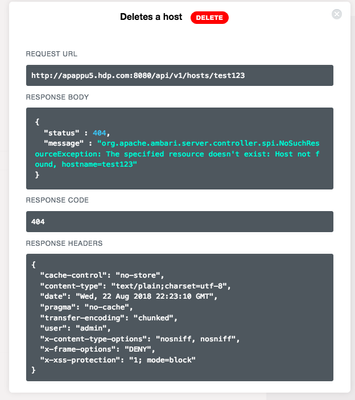
Window popup shows the API response with response (errors) message and code like below.

85709-screen-shot-2018-08-22-at-32341-pm.png

Similar many other Services/Groups/users API can be tried in the same page. This feature makes life easies to find and use the APIs.

1,120 Views
Version history
Last update:
‎08-17-2019 06:41 AM
Updated by:
Contributors