Our Community is getting an upgrade! To get everything ready for the relaunch, we’ll be placing the site in read-only mode starting September 21st.
We really appreciate your understanding while we get things set up behind the scenes. Catch up on all the exciting details about the move here.
Need help or have questions? Drop us a line at [email protected]

Community Articles

Find and share helpful community-sourced technical articles.
Announcements
Share your experience with Cloudera on G2 and get a $25 Amazon Gift card.
Hi, I'm CLEO! Something exciting is coming to the Community. Stay Tuned!

Labels (2)
avatar
Master Guru

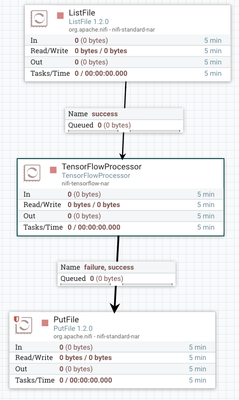
22389-tensorflowflow.png

In preparing for my talk at DataWorksSummit in Australia, I wanted to try yet another way to integrate Apache NiFi with TensorFlow.  The common ways being:   calling a Python TensorFlow script from Execute Command, calling a TensorFlow Serving server via gRPC, calling a C++ TensorFlow executable via Execute Command, running TensorFlow on the edge and having MiniFi send it to NiFi or calling a TensorFlowOnSpark job via Kafka, Site-to-Site.

TensorFlow has released a Java API (https://www.tensorflow.org/install/install_java), so I decided to write a quick custom processor to run TensorFlow Inception v3.

It's a simple set of dependencies for Maven:

    <dependencies>
        <dependency>
            <groupId>org.apache.nifi</groupId>
            <artifactId>nifi-api</artifactId>
        </dependency>
        <dependency>
            <groupId>org.apache.nifi</groupId>
            <artifactId>nifi-processor-utils</artifactId>
        </dependency>
        <dependency>
            <groupId>org.apache.nifi</groupId>
            <artifactId>nifi-mock</artifactId>
            <scope>test</scope>
        </dependency>
        <dependency>
            <groupId>org.slf4j</groupId>
            <artifactId>slf4j-simple</artifactId>
            <scope>test</scope>
        </dependency>
        <dependency>
            <groupId>junit</groupId>
            <artifactId>junit</artifactId>
            <scope>test</scope>
        </dependency>
   <dependency>
         <groupId>org.tensorflow</groupId>
         <artifactId>tensorflow</artifactId>
         <version>1.2.1</version>
       </dependency>
    </dependencies>


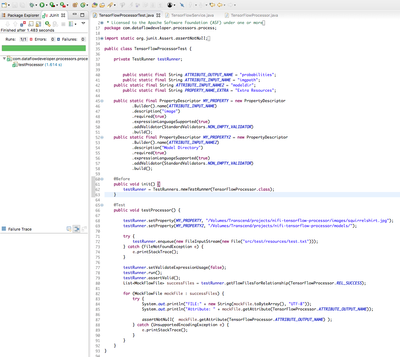
22391-tensorflowtest.png

It's easy to add the new processor NiFi. First build it mvn install (see my build script), then deploy it:

cp nifi-tensorflow-nar/target/nifi-tensorflow-nar-1.0.nar /Volumes/Transcend/Apps/nifi-1.2.0/lib

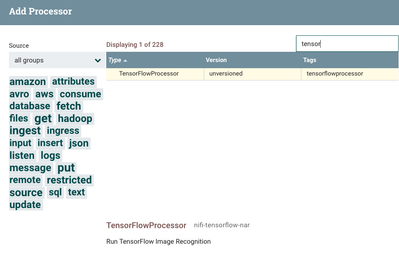
Once you restart NiFi, you can add the TensorFlow Processor.

22390-tensorflowaddprocessor.png

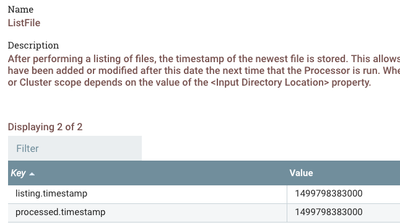
An example flow is to the use the very smart ListFile which will iterate through a list of files and keep track of which the last timestamp of files it accessed. So I point to a directory of files and the NiFi processor gets fed a ton of images to very quickly process. This is much faster than my calling out to a script.

22392-listallpictures.png

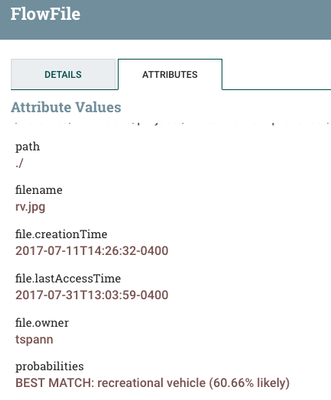
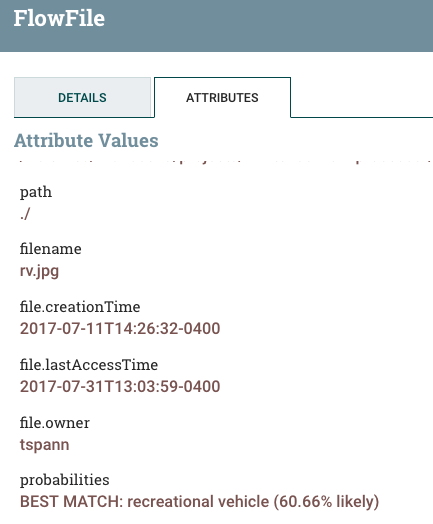
The result of the run is a new attribute, probabilities, which is a string description of what it could be a confidence percentage as text.

22393-tfresults.png

This was the guess for the picture of my RV:

22396-rv.jpg

Source:

https://github.com/tspannhw/nifi-tensorflow-processor

Resources:


tfresults.png
10,587 Views
Comments

There has been a major upgrade of the processor thanks to @Simon Elliston Ball Check out the latest version 2.1.

I am also prototyping a DL4J processor based on this and some code from the SkyMind guys.

Version history
Last update:
‎08-17-2019 11:49 AM
Updated by:
Contributors