Our Community is getting an upgrade! To get everything ready for the relaunch, we’ll be placing the site in read-only mode starting September 21st.
We really appreciate your understanding while we get things set up behind the scenes. Catch up on all the exciting details about the move here.
Need help or have questions? Drop us a line at [email protected]

Community Articles

Find and share helpful community-sourced technical articles.
Announcements
Share your experience with Cloudera on G2 and get a $25 Amazon Gift card.
Hi, I'm CLEO! Something exciting is coming to the Community. Stay Tuned!

Labels (1)
avatar
Cloudera Employee

Perform below steps on the servers chosen for Datanodes having different OS version

1. Prerequisites

  • Minimum Software Requirements:

https://docs.hortonworks.com/HDPDocuments/HDP2/HDP-2.6.2/bk_support-matrices/content/ch_matrices-amb...

  • Check and set the maximum Open File descriptors on new host

https://docs.hortonworks.com/HDPDocuments/HDP2/HDP-2.6.2/bk_support-matrices/content/ch_matrices-amb...

  • Check DNS and NSCD

https://docs.hortonworks.com/HDPDocuments/Ambari-2.5.2.0/bk_ambari-installation/content/check_dns.ht...

  • Disable THP
  • Disable SELinux
  • Enable NTP
  • Swappiness
  • Install same Python version
  • Install same JDK Version


2. Manage Stack Version

Go to Ambari Versions page:

http://<ambariHost>:<ambariPort>/views/ADMIN_VIEW/<ambariVersion>/INSTANCE/#/stackVersions

Replace <ambariHost>, <ambariPort>,<ambariVersion> with values from your cluster.

Select current version.

Add repository details for RHEL7


3.Manually download and Install Ambari agent

3.1 Download Ambari repo

wget -nv http://public-repo-1.hortonworks.com/ambari/centos7/2.x/updates/<version>/ambari.repo -O /etc/yum.repos.d/ambari.repo

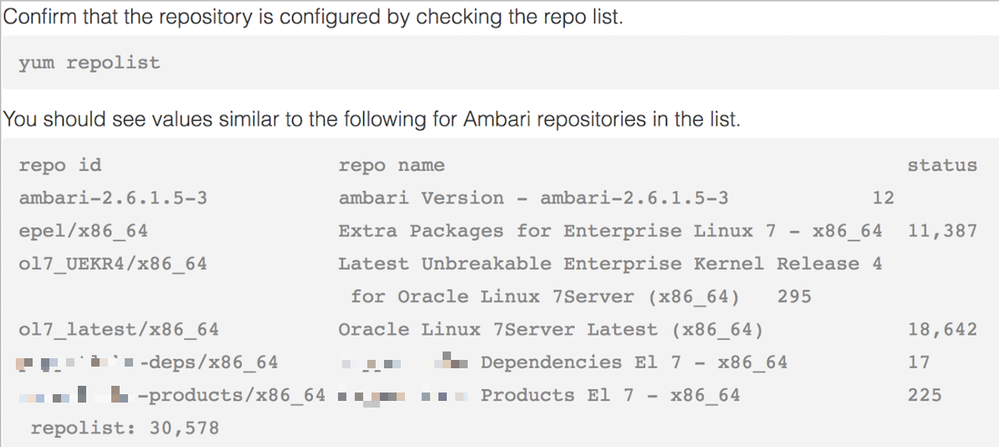
Below command downloads the latest Ambari version 2.6.1.5

wget -nv http://public-repo-1.hortonworks.com/ambari/centos7/2.x/updates/2.6.1.5/ambari.repo -O /etc/yum.repos.d/ambari.repo

248724_new.png

3.2 Install Ambari Agent


4. Manually register the hosts in Ambari


5. Validate the OS Family for stack and versions in Ambari


6. Complete the installation and validate the host in the hosts list

7.Test with a Job

7.1 Testing with a Terasort job

/usr/hdp/current/hadoop-client/bin/hadoop \

jar /usr/hdp/current/hadoop-mapreduce-client/hadoop-mapreduce-examples-*.jar \

terasort /tmp/teragenout /tmp/terasortout

7.2 Validate by checking with a Terasort job

When you run a new job, the recently added Datanode will have most resources available and some containers from your new job will land on this new host.

From Yarn RM UI, validate if any container landed on this new host and confirm that they finish their execution successfully.

1,630 Views
0 Kudos