Our Community is getting an upgrade! To get everything ready for the relaunch, we’ll be placing the site in read-only mode starting September 21st.
We really appreciate your understanding while we get things set up behind the scenes. Catch up on all the exciting details about the move here.
Need help or have questions? Drop us a line at [email protected]

Community Articles

Find and share helpful community-sourced technical articles.
Announcements
Share your experience with Cloudera on G2 and get a $25 Amazon Gift card.
Hi, I'm CLEO! Something exciting is coming to the Community. Stay Tuned!

avatar
Rising Star

First of all, you need a Hadoop user with correct permission with Ranger (I will use mine : mlanciau), some HDFS quota (if configured), and some YARN queue (I hope it is configured)

For this example, I am using default Jenkins configuration with SSH plugin and the TeraSort benchmark suite.

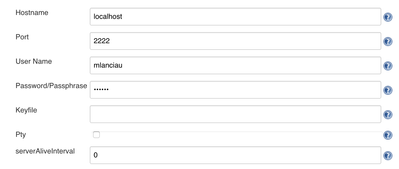
1. Configure SSH remote hosts in Jenkins by entering your credential (of course you can use different config)

5055-screenshot-2016-06-16-135831.png

2. Create a new item (on the main portal), I called it Hadoop performance, then click on it and configure

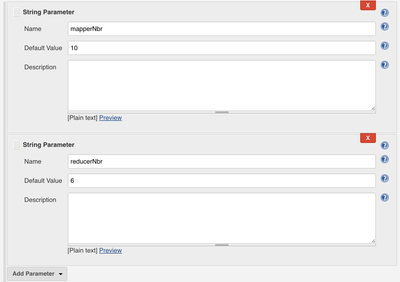
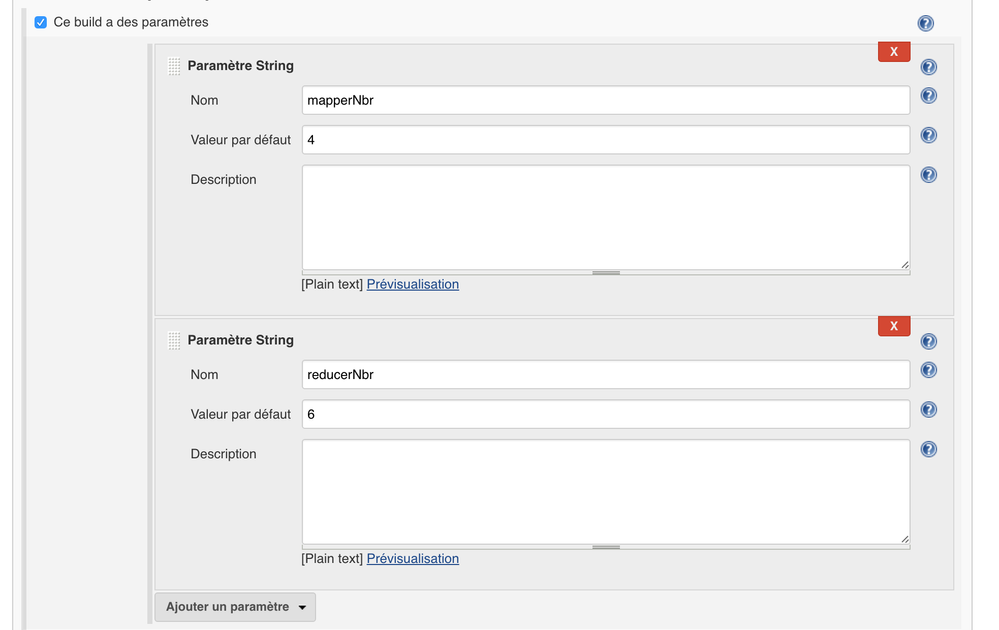
3. Click on "This project is parameterised" and add these 2 parameters (you may want to change the parameter ;-))

5108-screenshot-2016-06-20-045603.png

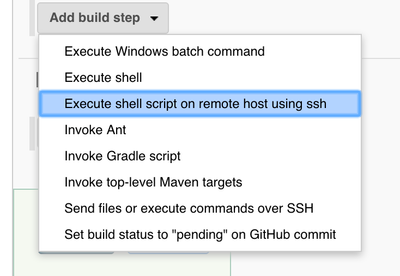
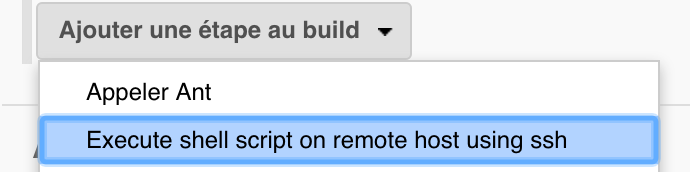
4. Go to build and click on add a step to the build and choose Execute shell script on remote host using ssh

5109-screenshot-2016-06-20-045734.png

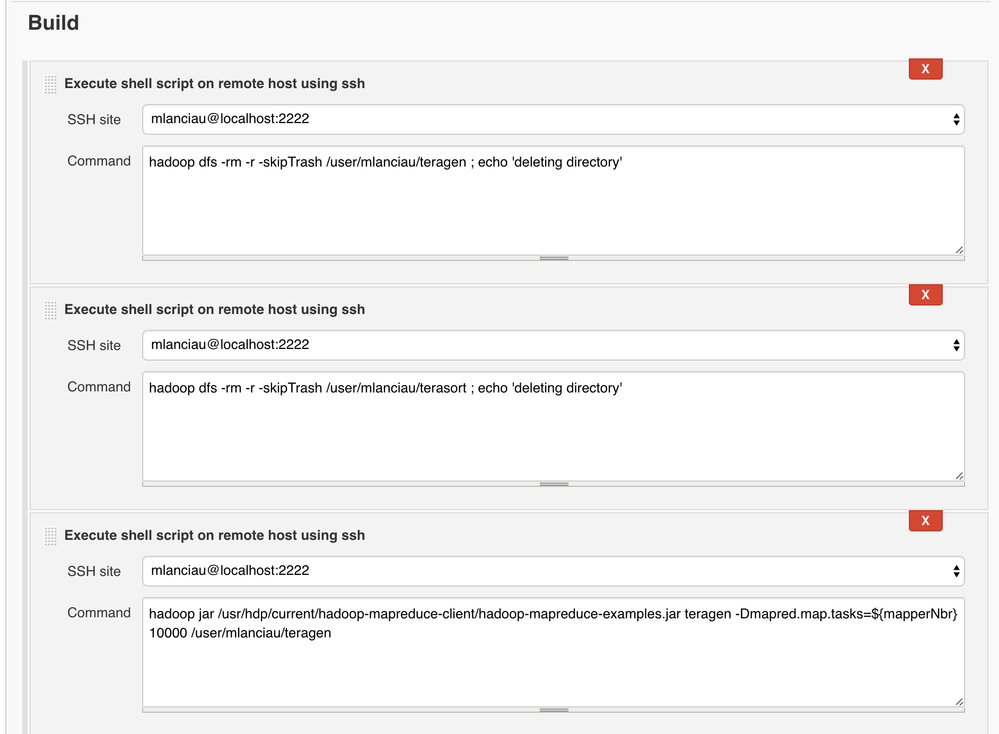
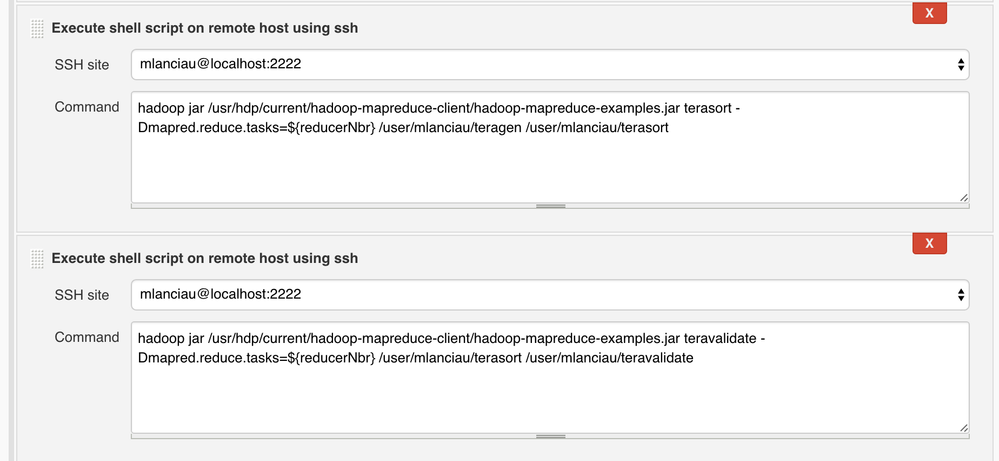
5. Then use below information to configure the different scripts (you may want to configure your own user)

  1. hdfs dfs -rm -r -skipTrash /user/mlanciau/teragen ; echo 'deleting directory'
  2. hdfs dfs -rm -r -skipTrash /user/mlanciau/terasort ; echo 'deleting directory'
  3. hdfs dfs -rm -r -skipTrash /user/mlanciau/teravalidate ; echo 'deleting directory'
  4. hadoop jar /usr/hdp/current/hadoop-mapreduce-client/hadoop-mapreduce-examples.jar teragen -Dmapred.map.tasks=${mapperNbr} 10000 /user/mlanciau/teragen
  5. hadoop jar /usr/hdp/current/hadoop-mapreduce-client/hadoop-mapreduce-examples.jar terasort -Dmapred.reduce.tasks=${reducerNbr} /user/mlanciau/teragen /user/mlanciau/terasort
  6. hadoop jar /usr/hdp/current/hadoop-mapreduce-client/hadoop-mapreduce-examples.jar teravalidate /user/mlanciau/terasort /user/mlanciau/teravalidate

6. Click on save

7. Click on Build with Parameters, check the parameter values and then Build

8. Follow the progress by clicking on the step in progress and Console Output !

5060-screenshot-2016-06-16-141253.png

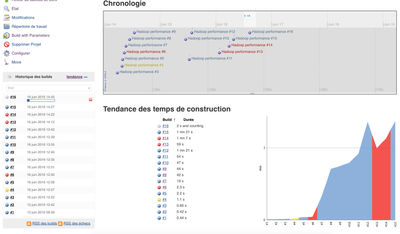
If you want you can also check execution time, success / failure thanks to the Jenkins UI

5064-screenshot-2016-06-16-144534.png

Cheers 😉


screenshot-2016-06-16-140708.pngscreenshot-2016-06-16-140441.pngscreenshot-2016-06-16-140822.pngscreenshot-2016-06-16-140111.png
12,470 Views
Comments
avatar
Rising Star

Cool stuff

avatar
Master Guru

That is amazing!

Version history
Last update:
‎09-16-2022 01:34 AM
Updated by:
Contributors