Our Community is getting an upgrade! To get everything ready for the relaunch, we’ll be placing the site in read-only mode starting September 21st.
We really appreciate your understanding while we get things set up behind the scenes. Catch up on all the exciting details about the move here.
Need help or have questions? Drop us a line at [email protected]
Created 03-10-2022 12:57 AM
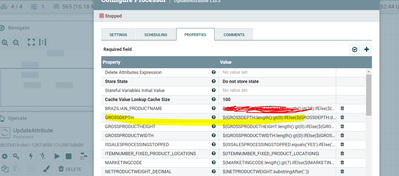
I am using the below NIFI EXPRESSION in the update attribute
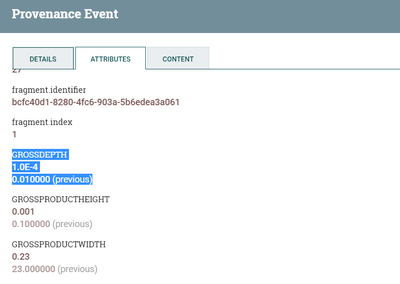
This works fine, but after division getting scientific notation, say for an example if the
Created 03-10-2022 10:47 AM
Created 03-10-2022 04:01 PM
Thanks for the update Steven. I had gone through those article before. Here I am using and update attribute which contains number for variables.
update attribute with multiple attributes
After this flow i am receiving the output as GROSSDEPTH =1.0E-4
So the question is execute script will work in this scenario? Please suggest.
Created 03-11-2022 05:24 AM
@kumsath Yes, when i saw your post I started digging around too. The issue here is number manipulation and type casting a "number" versus a "string". That easy gets complicated in attributes and with nifi expression language functions. The solution i referenced would take the "number" and make a number in which the visual representation should then be correct. Its worth a try since that execute script should be very easy to test. The alternative is to do your "math" upstream or in an execute script processor not in updateattribute.