


Creating WordClouds From DataFlows with Apache NiFi and Python
Python Word Cloud
Integrating existing Python libraries and scripts is very easy in Apache NiFi. I add the library for both version of Python I have on my system, while moving all new scripts to the 3.x branch.
Install the library for both Python 2.7 and 3.5
pip install wordcloud
pip3 install wordcloud
Example Usage
echo "NiFi\nHadoop\nSpark\n" | wordcloud_cli.py --imagefile wordcloud.png
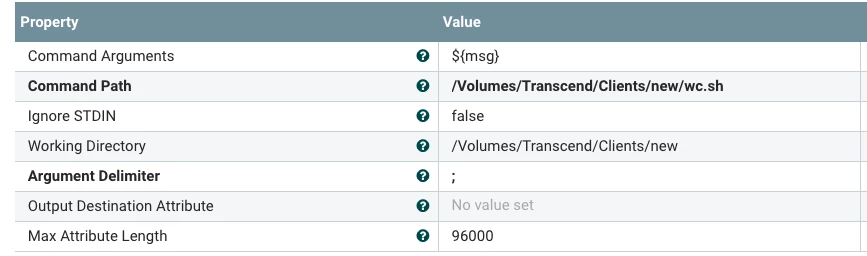
For use in NiFi, I wrap my call with a shell script wc.sh
echo $1 | tr " " "\n" | wordcloud_cli.py
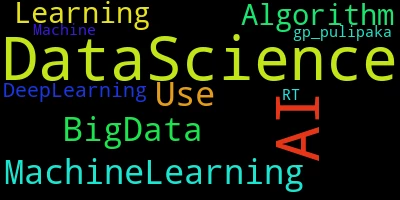
This will build a PNG for me that I can store in a file system or in HDFS, I updated the filename to add png at the end. This will take a parameter to a shell script (our Tweet) and convert it into words usable for a word cloud. You can use other sources or other methods of splitting words.
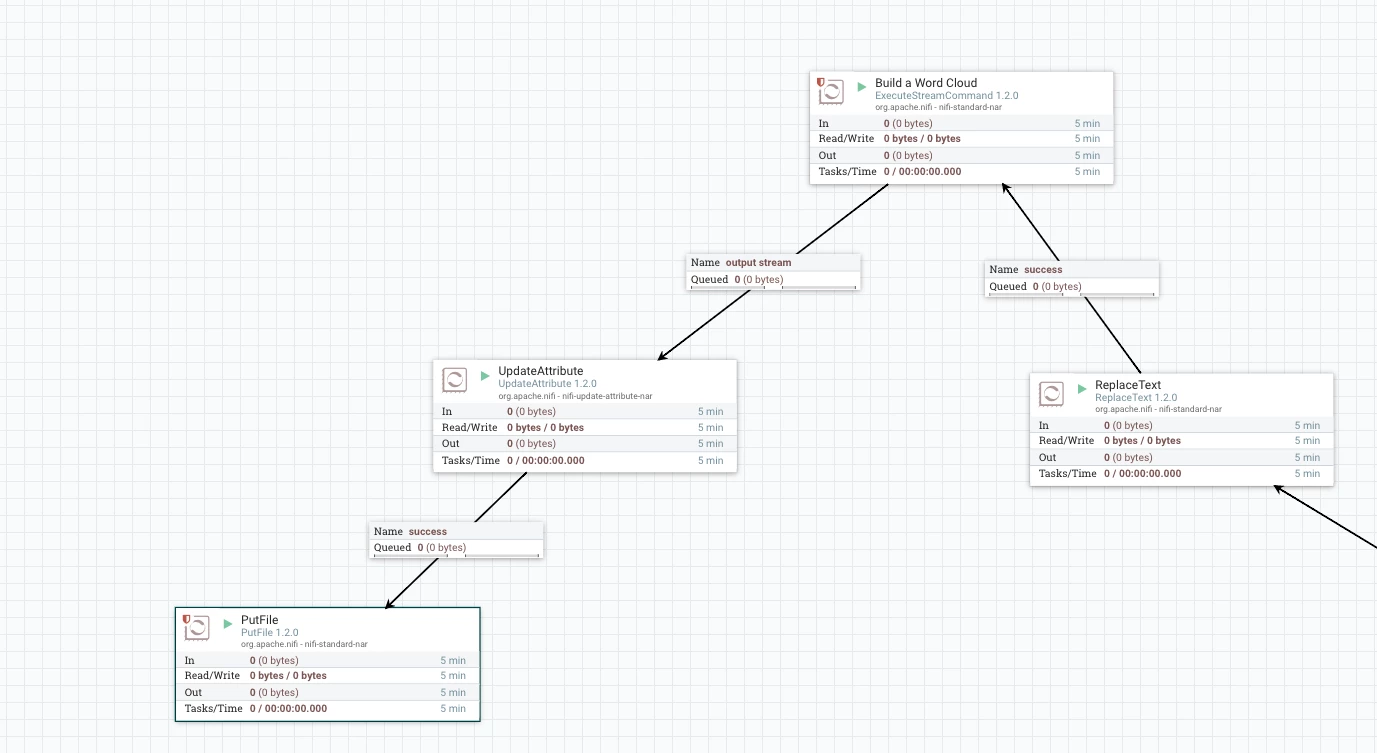
I am pulling twitter messages, so I use ReplaceText to replace the flow file with ${msg} which is just the tweet.
Then I execute the Python WordCloud CLI:
Example
References:

