Our Community is getting an upgrade! To get everything ready for the relaunch, we’ll be placing the site in read-only mode starting September 21st.
We really appreciate your understanding while we get things set up behind the scenes. Catch up on all the exciting details about the move here.
Need help or have questions? Drop us a line at [email protected]

Support Questions

Find answers, ask questions, and share your expertise
Announcements
Share your experience with Cloudera on G2 and get a $25 Amazon Gift card.
Hi, I'm CLEO! Something exciting is coming to the Community. Stay Tuned!

Can't access Datanode in HDP 3.01 Sandbox from client tool (creating zero byte files)

avatar
New Contributor

Hello,


I downloaded and imported an HDP 3.01 sandbox into Virtualbox 6.1. When I try to write to HDFS, I can connect to the Namenode, but I'm creating zero-byte files because my client can't directly access the Namenode in the HDP Sandbox from my Windows client (could only be replicated to 0 nodes instead of minReplication (=1))


This is happening because the Namenode creates a filehandle when I try to write the file, returns the URI of the Datanode to my client, but my client can't access the URI. I read this related article on how to resolve this for HDP 2.5 and determined the changes I needed to do for HDP 3.0.1 (adding a port for the Datanode 50010) as follows:

cd /sandbox/proxy
vi proxy-deploy.sh


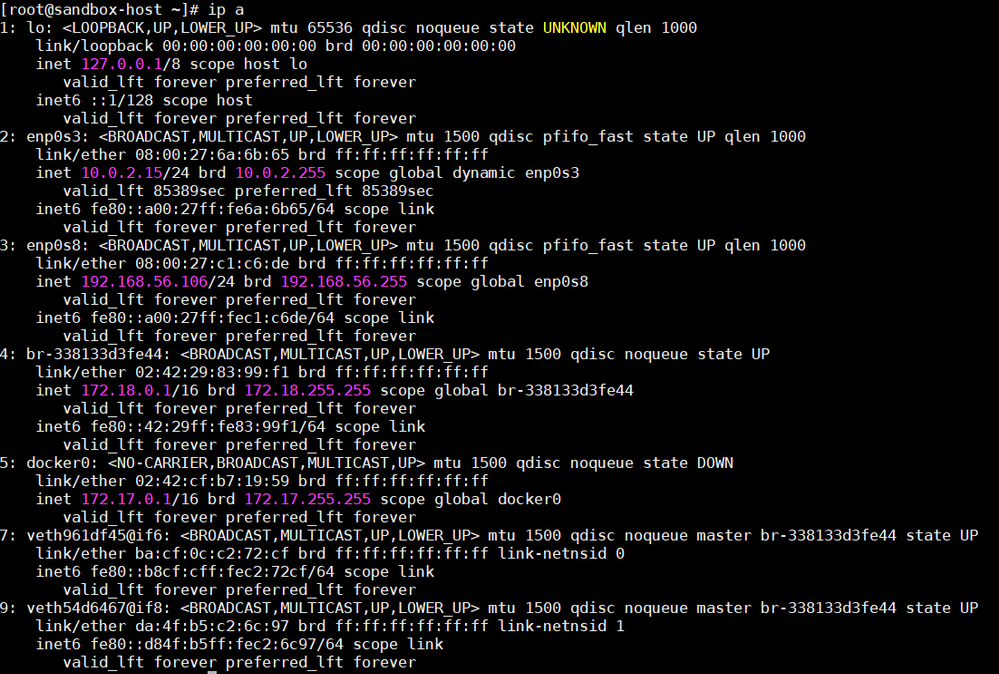
So I understand that I need to create a route from my Windows host to the docker container in the Sandbox. I've done that - but the problem I'm running into is that the docker container's network is DOWN (#5) in the list below:


image.png

Questions:

(1) Should the docker network be DOWN?
(2) If not, how do I repair the network so I can access it from the Windows client?


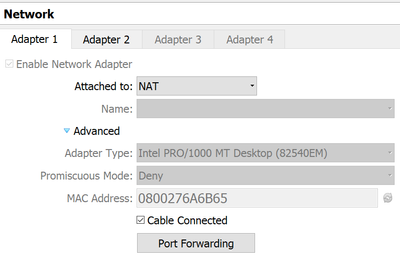
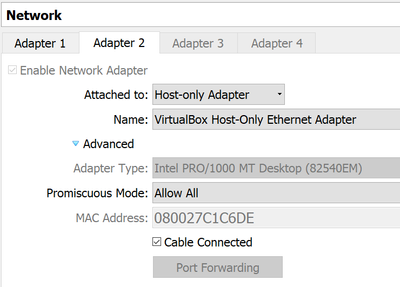
Network properties:

WillM_0-1592011198272.png


WillM_1-1592011222493.png


Thanks.

1 ACCEPTED SOLUTION

avatar
New Contributor

Resolved by recreating the HDP 3.0.1 Sandbox, and following the instructions on the Help page. Scroll down to 

Open a port for custom use


https://www.cloudera.com/tutorials/learning-the-ropes-of-the-hdp-sandbox.html#appendix-c-determine-n...

View solution in original post

1 REPLY 1

avatar
New Contributor

Resolved by recreating the HDP 3.0.1 Sandbox, and following the instructions on the Help page. Scroll down to 

Open a port for custom use


https://www.cloudera.com/tutorials/learning-the-ropes-of-the-hdp-sandbox.html#appendix-c-determine-n...