Our Community is getting an upgrade! To get everything ready for the relaunch, we’ll be placing the site in read-only mode starting September 21st.
We really appreciate your understanding while we get things set up behind the scenes. Catch up on all the exciting details about the move here.
Need help or have questions? Drop us a line at [email protected]

Support Questions

Find answers, ask questions, and share your expertise
Announcements
Share your experience with Cloudera on G2 and get a $25 Amazon Gift card.
Hi, I'm CLEO! Something exciting is coming to the Community. Stay Tuned!

Hive View not opening in Ambari UI

avatar
New Contributor

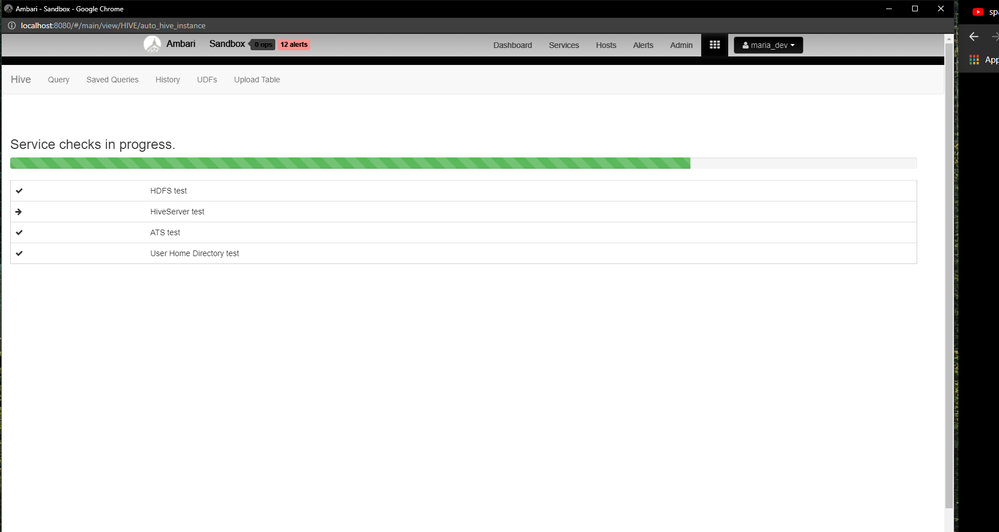
I'm using Hortonworks 2.6.5 in Oracle Virtualbox. I tried opening Hive View in Ambari UI, it is taking more than 3hours, and still, it is not opening.

Service checks in progress..png


HiveServer Test is taking a lot of time!!

I tried restarting the respective services but nothing worked out. I am in need of help with this issue!!

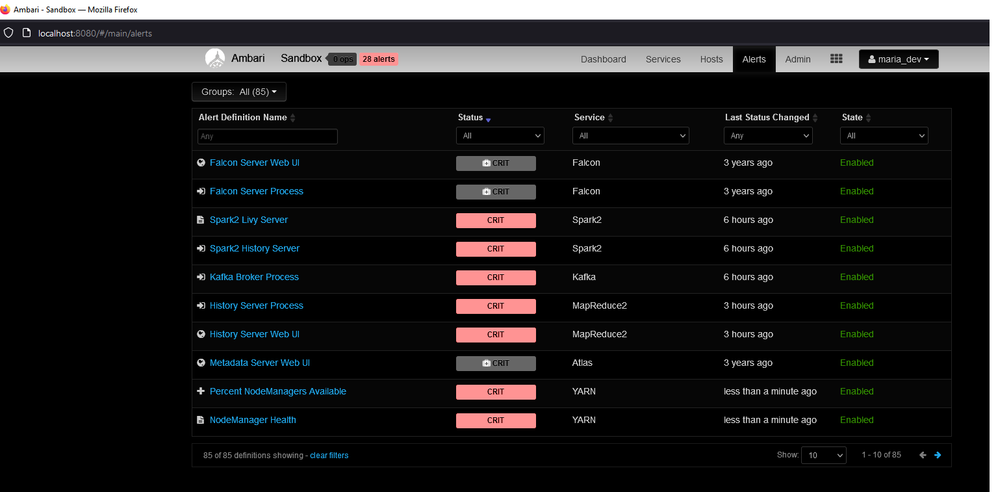
Alerts sectionAlerts section


I have allocated 16384 MB of Base Memory, 4 Cores of Processor, 35MB of Video Memory to the VM. I have attached the Screenshot of my Alerts section. Most of the services are failed to start, I don't know why!

1 ACCEPTED SOLUTION

avatar
Expert Contributor

Hi @PURUSHOTHAMAN_S 


I can see there are a lot of alerts(28) in Ambari, if I were you I will start checking with HDFS service at first like namenode are up and running because it is vital for other services to come up. Then you may need to check YARN and then you can concentrate on others.


Check out the Ambari startup logs to see why and where it is getting failed.


Hope it helps.

View solution in original post

1 REPLY 1

avatar
Expert Contributor

Hi @PURUSHOTHAMAN_S 


I can see there are a lot of alerts(28) in Ambari, if I were you I will start checking with HDFS service at first like namenode are up and running because it is vital for other services to come up. Then you may need to check YARN and then you can concentrate on others.


Check out the Ambari startup logs to see why and where it is getting failed.


Hope it helps.