Our Community is getting an upgrade! To get everything ready for the relaunch, we’ll be placing the site in read-only mode starting September 21st.
We really appreciate your understanding while we get things set up behind the scenes. Catch up on all the exciting details about the move here.
Need help or have questions? Drop us a line at [email protected]

Community Articles

Find and share helpful community-sourced technical articles.
Announcements
Share your experience with Cloudera on G2 and get a $25 Amazon Gift card.
Hi, I'm CLEO! Something exciting is coming to the Community. Stay Tuned!

avatar

Synopsis

  • You are a marketing analyst tasked with developing a BI dashboard for management that reports on website activity in realtime throughout the day for Black Friday, the day after Thanksgiving.
  • Unfortunately, all of the data engineers are busy with other projects and cannot immediately help you.
  • Not to worry. With Hortonworks DataFlow, powered by Apache NiFi, you can easily create a data flow in minutes to process the data needed for the dashboard.

Source Data:

  • Fictitious online retailer Initech Corporation
  • JSON Formatted Clickstream data
  • Your company stores the raw Clickstream log files in HDFS. The JSON formatted log files are written to HDFS directories partitioned by day and hour. For example:
    • /data/clickstream/2016-11-20/hour=00
    • /data/clickstream/2016-11-20/hour=01
    • /data/clickstream/2016-11-20/hour=...
    • /data/clickstream/2016-11-20/hour=23
  • There could also be subdirectories under the hour
  • This directory structure or a similar variant is commonly found in organizations when storing Clickstream logs
  • The JSON data contains nested hierarchies. Sample JSON record:

9591-screen-shot-2016-11-18-at-120705-am.png

Solution considerations:

  • New files are written throughout the day for each hour and late arriving data is added to existing hours.
  • Since files are constantly arriving, you need the data flow to always be on and running
  • HBase is a fast and scalable option for the backend datastore:
    • Data is semi-structured JSON
    • HBase does not require a Schema
    • HBase was designed for high throughput writes, whereas Hive is better suited for batch loads
  • Use Apache Phoenix to create a view atop the HBase table:
    • Phoenix creates the schema for reporting
    • Phoenix lets you write ANSI SQL queries against the HBase data
    • Phoenix JDBC driver allows any BI tool to connect

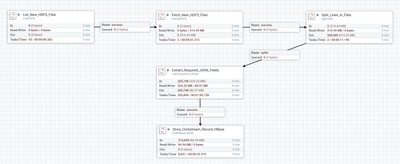
HDF DataFlow Overview:

9583-screen-shot-2016-11-17-at-113951-pm.png

* You may need to increase the heap size used by NiFi. You will know if/when you start getting the error: java.lang.OutOfMemoryError

Throughput:

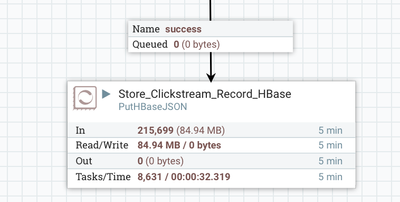
  • HDF loaded 215,699 records into HBase in under 33 seconds
  • I'm running HDF on a single node with 64 GB Ram and 16 cores
  • There are other Hadoop and Hadoop related services running on this node including Node Manager, DataNode, Livy Server, RegionServer, Phoenix Query Server, NFSGateway, Metrics Monitor

9598-screen-shot-2016-11-18-at-123914-am.png

Step 1:

Create the HBase table. You can easily do this via Apache Zeppelin.

  • Create 1 column family 'pageview'
  • Multiple versions are not needed as there are no updates to this data. Each website hit is unique.

9581-screen-shot-2016-11-17-at-113433-pm.png

Step 2:

Create the Phoenix view. You can easily do this via Apache Zeppelin.

9582-screen-shot-2016-11-17-at-113725-pm.png

Step 3:

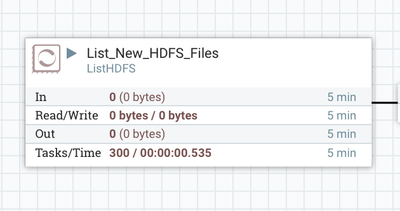
Configure the ListHDFS processor

  • The ListHDFS processor will only list new files as they are written to directories
  • The DataFlow will be constantly running so we do not want to process the same data twice. Thus, the ListHDFS processor will prevent us from processing the same data twice
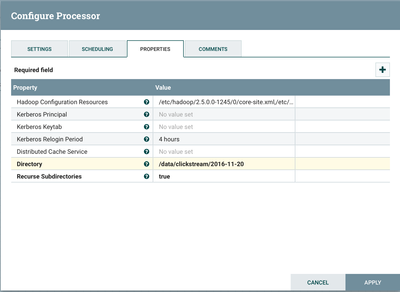
  • Our top-level directory is the Clickstream data for 2016-11-20
  • ListHDFS will list all new files beneath the subdirectories under the top-level directory of 2016-11-20
  • Notice that the value for 'Directory' is the top-level directory '/data/clickstream/2016-11-20'
  • The value for 'Recursive Subdirectories' is set to 'true' so that all new files will be picked up as they are added
  • The Hadoop Configuration Resources are the full path locations to core-site.xml and hdfs-site.xml

9584-screen-shot-2016-11-17-at-114407-pm.png

9586-screen-shot-2016-11-17-at-104843-pm.png

Step 4:

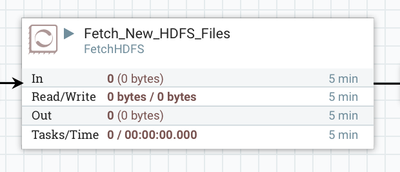
Configure the FetchHDFS processor

  • The ListHDFS processor will list files
  • FetchHDFS will retrieve the contents from the files listed

9587-screen-shot-2016-11-17-at-115608-pm.png

9588-screen-shot-2016-11-17-at-115654-pm.png

Step 5:

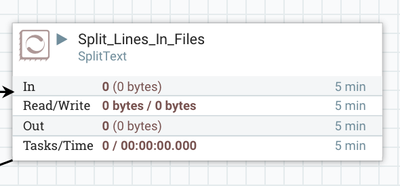
Use the SplitText processor to split each JSON record from the HDFS files

I used the processor as is without any changes, other than renaming it to 'Split_Lines_In_File'

9589-screen-shot-2016-11-17-at-115944-pm.png

Step 6:

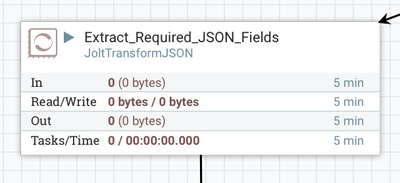
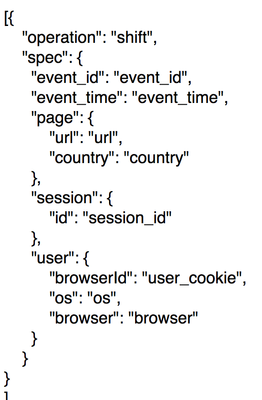
Configure the JoltTransformJSON processor to extract only those fields needed for the dashboard.

9590-screen-shot-2016-11-18-at-120254-am.png

We only need the following fields from the JSON data:

  1. event ID - unique identifier for each website hit
  2. event time - time when the website hit occurred
  3. url - url of the page viewed
  4. country - country that the page was served
  5. session id - session id for the user
  6. user cookie
  7. os - the users device os
  8. browser - browser that the user used

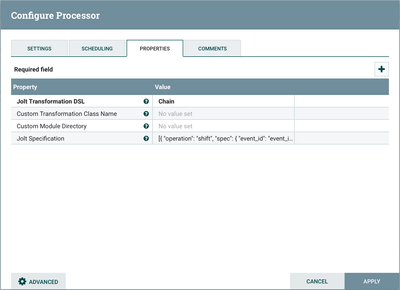
Some of the above fields are child elements for a top-level parent. The property 'Jolt Specification' needs to be set so that we properly extract those fields:

9611-jolt-property.png

9600-screen-shot-2016-11-18-at-75011-am.png

Step 7:

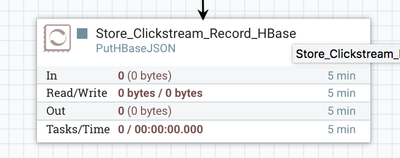
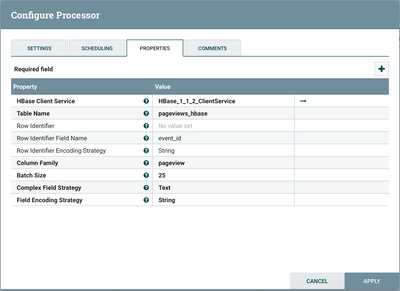
Configure the PutHBaseJSON processor to store the record.

9593-screen-shot-2016-11-18-at-121552-am.png

9594-screen-shot-2016-11-18-at-121603-am.png

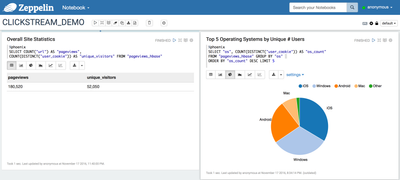
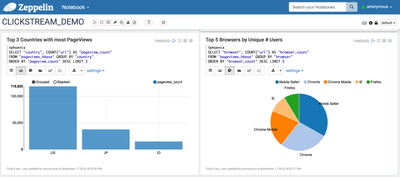
Apache Zeppelin Notebook:

9595-screen-shot-2016-11-18-at-122602-am.png

9596-screen-shot-2016-11-18-at-122615-am.png


screen-shot-2016-11-17-at-114001-pm.pngscreen-shot-2016-11-18-at-121209-am.pngscreen-shot-2016-11-17-at-104524-pm.png
6,879 Views
Comments

@Binu Mathew : Thanks for sharing the awesome article. Do you mind to share the sample data?

Version history
Last update:
‎04-21-2026 05:26 AM
Updated by: